Your Coding Agent Can Edit Video Now. 42 Local FFmpeg Tools, One npx Command.
ffmpeg-skill gives Claude Code, Cursor and Codex typed, local FFmpeg tools for cuts, dead-air removal, captions, loudness and platform exports, and it checks its own output. It is best for turning one recording into Shorts and Reels. It will not frame your subject or judge your edit.
Accurate as of November 2026. Status: I have only vetted this, from the repo, the docs and two outside write-ups. I have not run it on my own footage yet.
Most video work developers do is dull: cut a talk into a Short, take out the pauses, fix the volume, export for three platforms. ffmpeg-skill hands that work to the coding agent you already use, and runs every edit with FFmpeg on your own machine.
It went up GitHub Trending this week. explainx counted 6,158 stars on 16 November; Vidwip had seen 4.8k ten days earlier. The npm package dates from early September, and version 4.1.2 is current as I write.
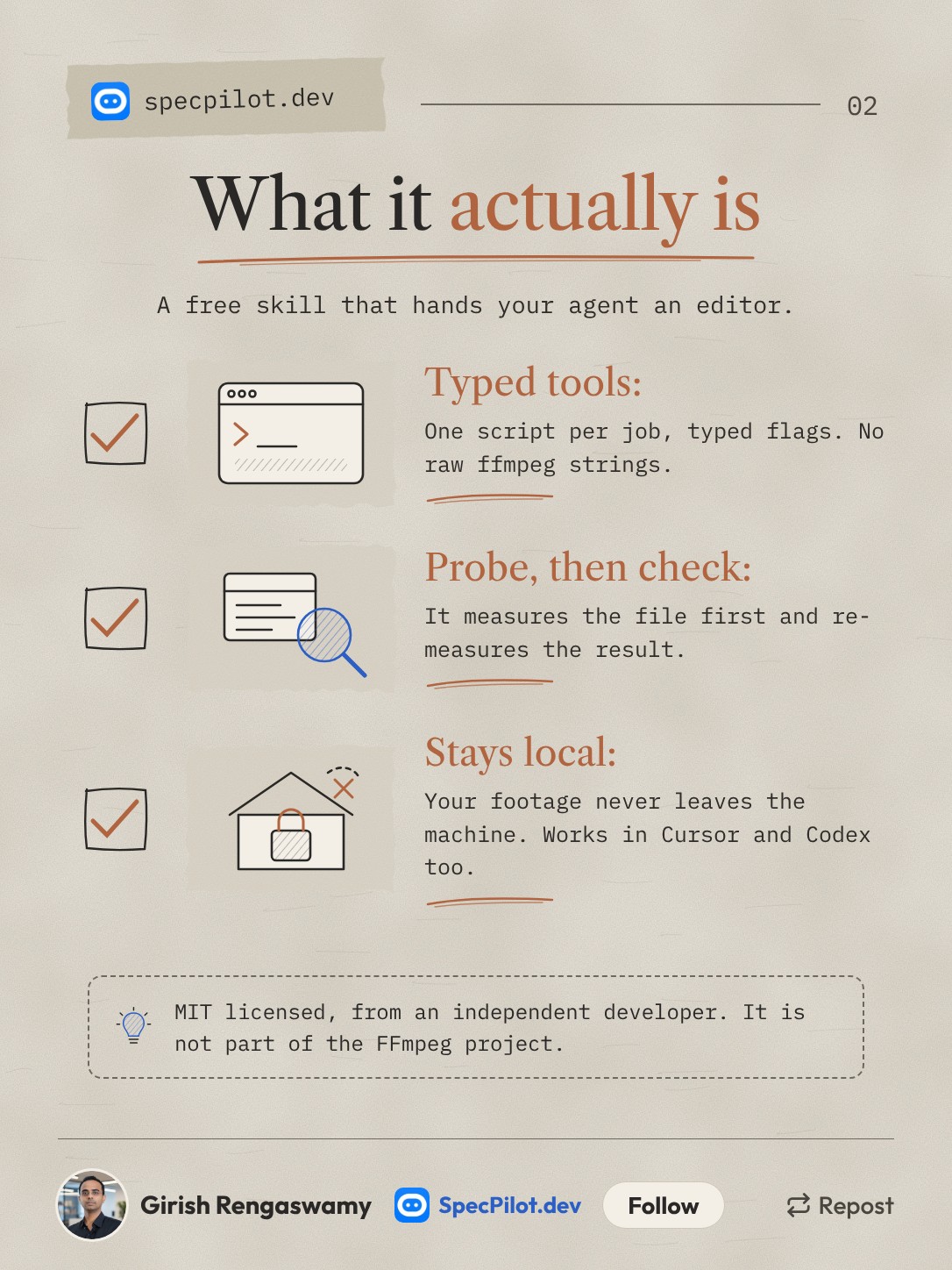
An agent that "knows FFmpeg" still guesses. It assumes a frame rate, picks a codec the container cannot hold, or reports "done" without opening the file. ffmpeg-skill replaces raw command strings with 42 Python scripts, each with typed flags, and the agent is not allowed to pass its own filter graph.
Every job starts with probe.py, which measures duration, frame rate, colour and every audio stream. Every writing tool measures its output again afterwards. The project is MIT licensed and comes from an independent developer, not from the FFmpeg project.
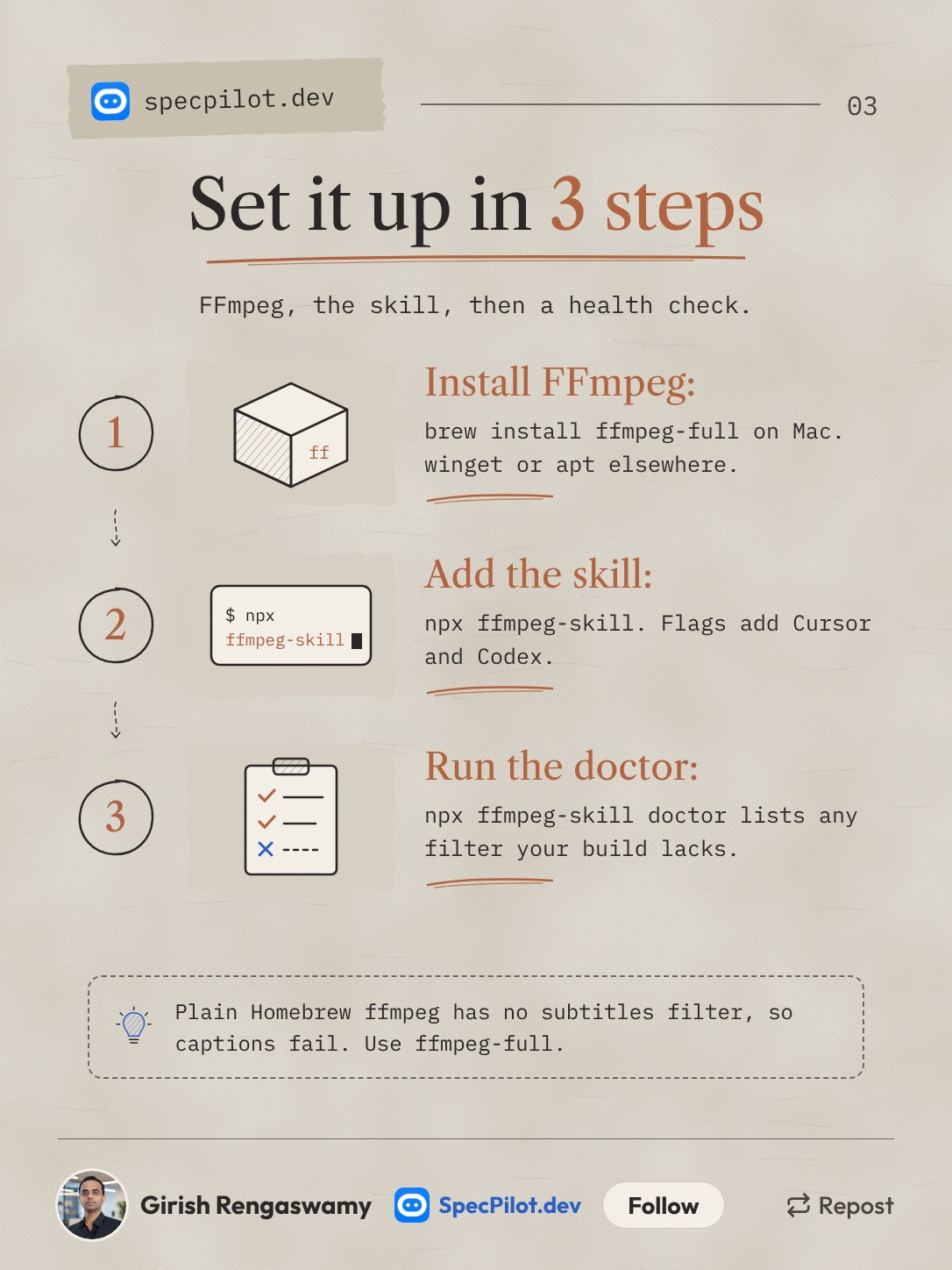
You need FFmpeg 6.1 or later, Python 3.10 or later, and Node 16 or later only for the npx installer. The tools themselves use the Python standard library, so there is nothing else to install. Per-OS commands are in the setup section below.
Run doctor before the first job. The README warns that a plain Homebrew ffmpeg lacks the subtitles filter, so captions fail on it. doctor --json lists, per tool, whether your build can run it.
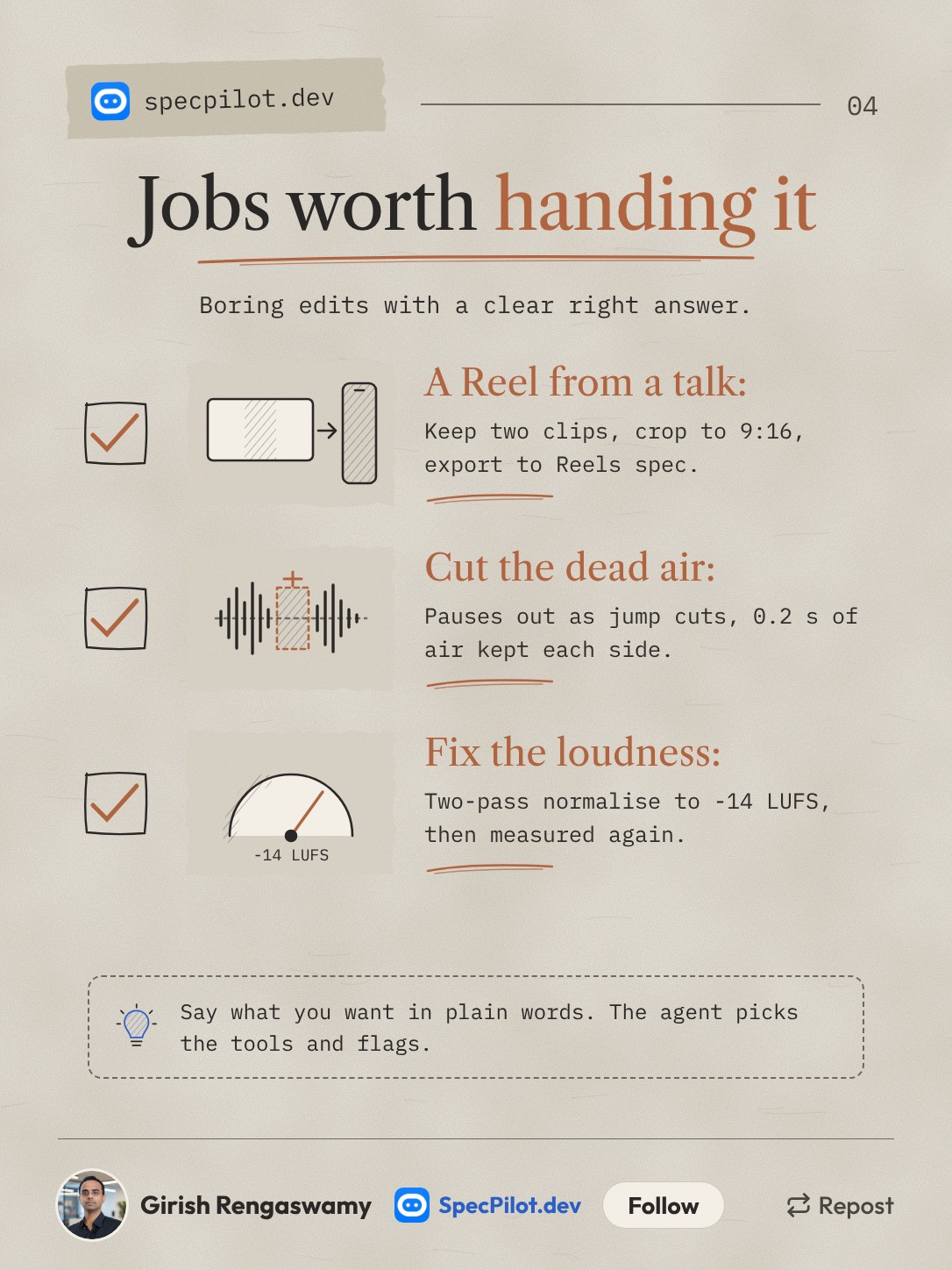
These are jobs with a right answer you can measure. A Reel is 1080x1920 or it is not. Loudness is -14 LUFS or it is not. An agent with a checker does these faster than you can drag clips around.
Silence removal keeps 0.2 seconds of air on each side of speech by default. The author suggests 0.3 seconds for a speaker who trails off.
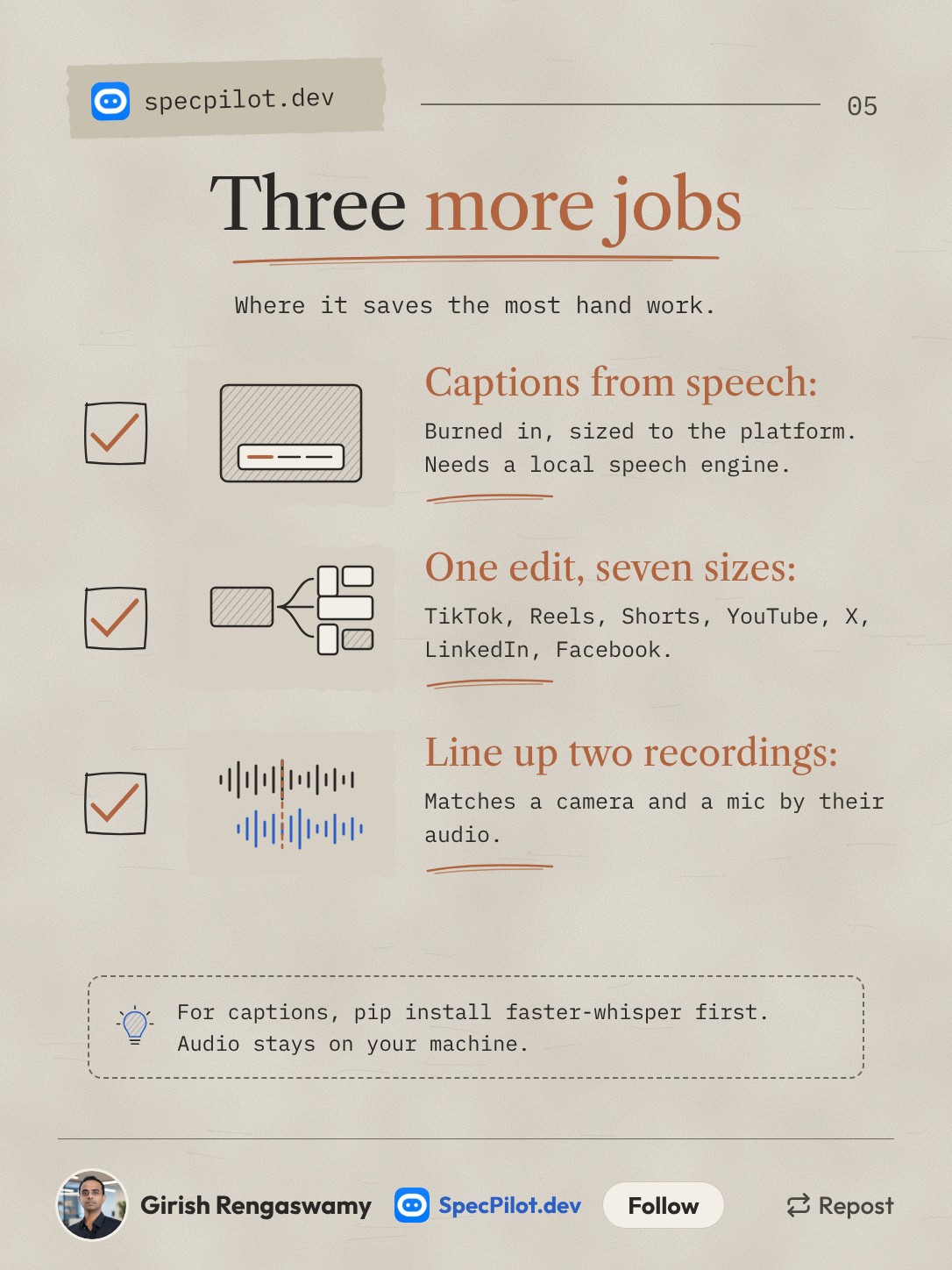
Captions from speech need a transcription engine you install yourself. pip install faster-whisper is the simplest one the README names. The first run downloads a model, and the audio stays on your machine. Without an engine, --transcribe refuses and prints the install lines instead of guessing.
The seven-platform pack is one command: render.py --template all writes TikTok, Reels, Shorts, YouTube, X, LinkedIn and Facebook versions from one edit, plus a table of what each produced.
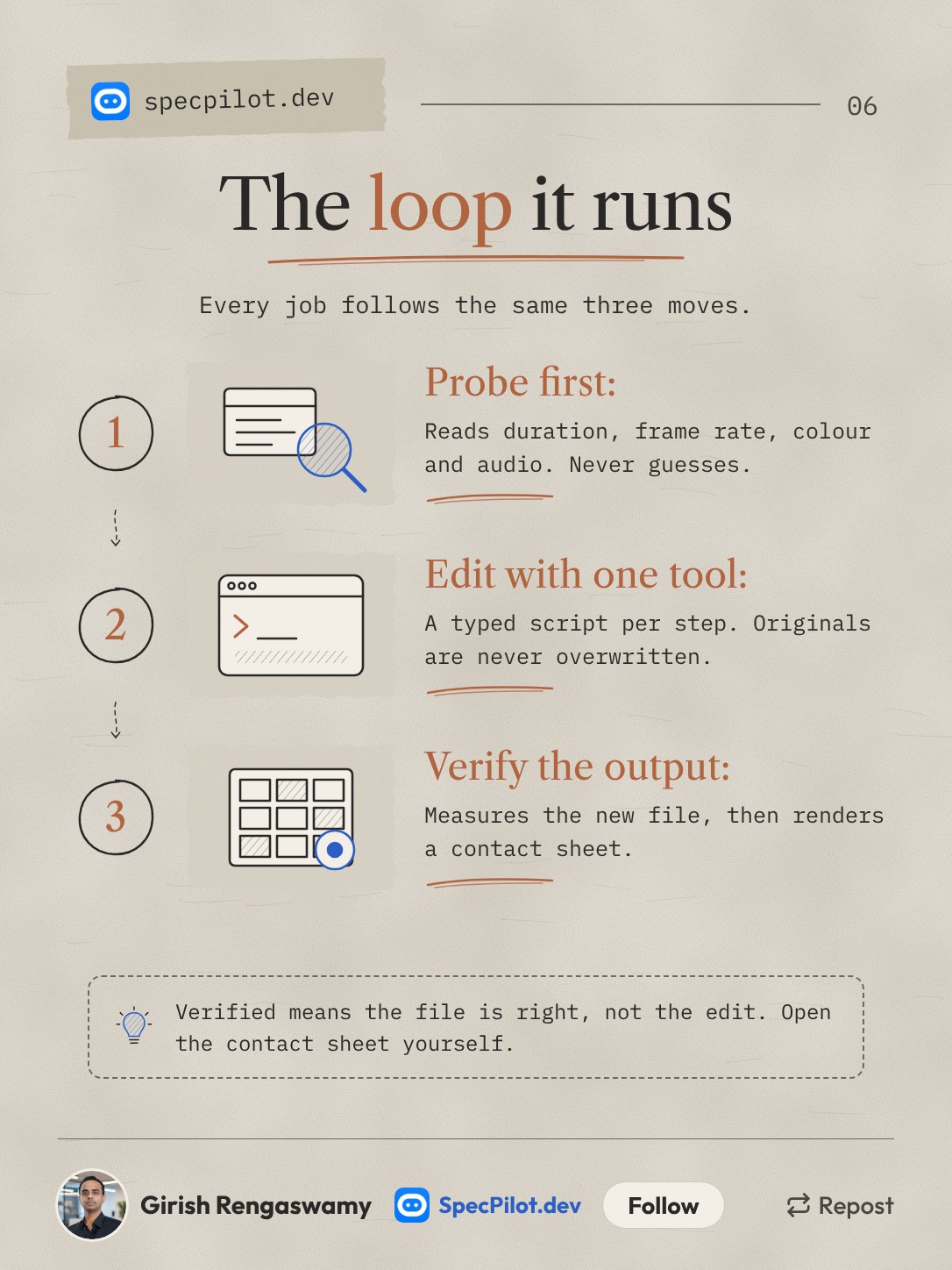
The verify step is the reason to use this over asking an agent to write ffmpeg commands. look.py renders a contact sheet so the agent can see what it made, and every report ends in Done: or Failed:.
Read the limits of that word "verified", though. The tool checks what it can measure: length, size, frame rate, loudness, streams. It lists what it cannot judge as unverified, such as subject framing, caption legibility and whether a removed span held speech. The author's own position paper scores the skill as only partly meeting its own verification standard.
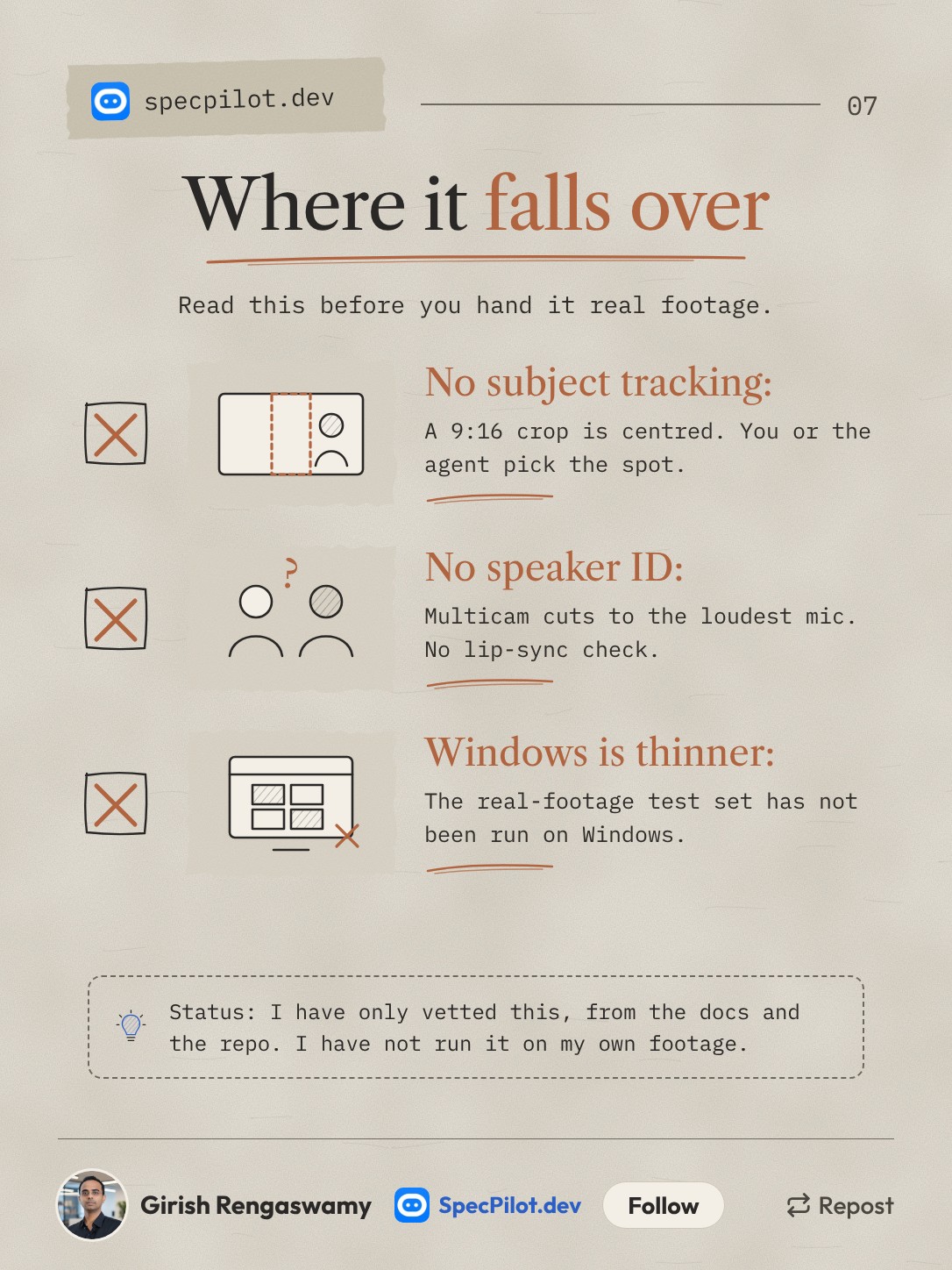
Nothing in the repo finds a face or a subject. A 16:9 to 9:16 crop throws away about 70% of the width and centres by default. cropdetect.py --motion-centre reports where motion sat each second, but the agent or you still picks the crop.
Windows is the thinnest platform. The CI suite runs on Linux, macOS and Windows, but the real-device footage corpus has only run on Linux and macOS, and nobody but the maintainer has reproduced a Windows install yet. Issue #143 tracks both.
The six jobs: what to say, and what it runs
You talk to the agent in plain words. The tool names are what the skill routes to, taken from the README, so you know what to expect in the transcript. File names are examples.
| Job | What to ask | Tools it runs | Watch for |
|---|---|---|---|
| Reel from a talk | "Take interview.mp4, keep 0:45-1:20 and 5:00-5:25, and make it a 60-second Reel." | probe, cut --segments ... --accurate, fit --aspect 9:16 --fit crop, export --preset reels, check --platform reels, look | Centre crop. Tell it where the speaker sits, or check the sheet. |
| Cut the dead air | "Remove the pauses from lecture.mp4 but keep breaths inside sentences." | silence --speech-aware | Default threshold is -35 dBFS. If it finds nothing, it prints the track level and suggests a new threshold. |
| Fix loudness | "Normalise podcast.m4a to podcast loudness." | loudness, then check --platform podcast | Social default is -14 LUFS / -1 dBTP. Podcasts use -16 / -1.5. |
| Captions from speech | "Add word-by-word captions to talk.mp4 for TikTok." | caption --transcribe, or render --template tiktok | Needs a local speech engine. Placement and legibility are unverified, so look at the sheet. |
| One edit, seven platforms | "Make every social version of final.mp4." | render --template all | Platform upload limits are marked as guidance, because platforms change them. |
| Sync two recordings | "Line up the camera audio with the lav mic in these two files." | sync | Over ten minutes from separate devices needs --fix-drift. Confidence below 0.3 is probably wrong. |
Filler-word removal ("um", "uh") also exists, but only from measured word timings. It will not guess, which is the right call.
Setup for Mac, Windows and Linux
One command tries to do all of it: npx ffmpeg-skill setup installs the skill for every agent it finds, installs FFmpeg if it is missing (printing the package-manager command first), then runs doctor. Pass --no-ffmpeg if you do not want it touching a package manager.
Step by step:
| Step | Mac | Windows | Linux (Debian/Ubuntu) |
|---|---|---|---|
| FFmpeg | brew install ffmpeg-full | winget install --id Gyan.FFmpeg -e | sudo apt-get install -y ffmpeg |
| Skill for Claude Code | npx ffmpeg-skill | npx ffmpeg-skill | npx ffmpeg-skill |
| Health check | npx ffmpeg-skill doctor | npx ffmpeg-skill doctor | npx ffmpeg-skill doctor |
| Captions engine | pip install faster-whisper | pip install faster-whisper | pip install faster-whisper |
On Windows in Git Bash, python3 exists only if Python came from the Microsoft Store. With a python.org install, use python when you run the scripts by hand. The installer and doctor handle this for you.
Other agents and routes:
| Route | Command |
|---|---|
| Cursor | npx ffmpeg-skill --cursor |
| Codex | npx ffmpeg-skill --codex |
| All three | npx ffmpeg-skill --all |
| One project only | npx ffmpeg-skill --project |
| Claude Code plugin (2.1.275+) | /plugin install ffmpeg-skill --marketplace kajisho5/ffmpeg-skill |
| Gemini CLI | gemini extensions install https://github.com/kajisho5/ffmpeg-skill |
| Any MCP client | npx -y ffmpeg-skill mcp |
The npm copies do not update themselves. Re-run npx ffmpeg-skill to refresh. The plugin route updates with claude plugin update.
The MCP switch: 12 tools or 42
Over MCP, the server lists only 12 core tools by default: render, look, caption, export, check, fit, cut, audio, loudness, graphics, silence and probe. The other 30 can still be called by name. That keeps 30 schemas out of your context on every turn.
Set FFMPEG_SKILL_MCP_FULL=1 to list all 42. Do it only if your client will not call an unlisted tool. The 12 core tools are marked stable until version 5.0. The other 30 are beta and can rename a flag after one minor release of notice.
The server is also listed in the MCP Registry.
What the numbers are, and whose they are
Every test figure here comes from the project's own README. Nobody independent has published a hands-on test that I could find. Vidwip, which ranked it second in its list of Claude video skills, says plainly that it read the repos and did not run them.
| Claim | Source | Notes |
|---|---|---|
| 92 of 92 verification steps passed on 10 real-device files (GoPro, DJI, iPhone, Android) | Project's own | Run at version 0.8.0, FFmpeg 6.1. |
| Silence removal missed 0 of 20 known gaps | Project's own | At most 1 ms of silence left. |
| Audio sync within 10 ms on 40 of 40 cases | Project's own | 120-second windows. |
| 100-prompt agent eval: right tool picked on 95% of the 64 action prompts, 0 false successes | Project's own | Version 1.17.0, Sonnet agent, graded by another model. A later run found the right tool for only 8 of 12 new prompts until the docs were fixed. |
| 6,158 GitHub stars | explainx, 16 Nov | Moving fast; Vidwip saw 4.8k on 7 Nov. |
The README also lists the bugs its evals found and fixed, including a caption bug that stacked one word per line. I count that in its favour.
What it will not do
It edits footage you already have. It does not generate video. For graphics drawn in code, the same author has a companion, remotion-ffmpeg-skill. It does not find faces, number plates or logos. redact.py blurs a box you give it.
GPU encoding is Apple VideoToolbox only, on Apple Silicon, and opt-in. NVIDIA and other encoders show up in doctor but no tool uses them.
The default timeout is 1,800 seconds per FFmpeg call. A full re-encode of an hour of 1080p ran past it on a 4-core machine, so long masters need --timeout 0 or --fast.
Who should install it this week
If you cut talks, demos or podcasts into short clips, install it and start with the loudness and dead-air jobs. They have clear right answers and nothing to frame.
If you need an editor's eye, it will not replace one. It handles the mechanical part, checks its own file, and tells you when it did not check something. Open the contact sheet before you post.
Found this helpful? Share it with others!