You Are Using the Wrong Claude. And the Wrong ChatGPT.
Anthropic and OpenAI ship the same dozen capabilities under completely different packaging, and most teams are using the chat window for work that belongs somewhere else. A full map of every Claude and ChatGPT tool, and the rule for knowing which one a task belongs in.
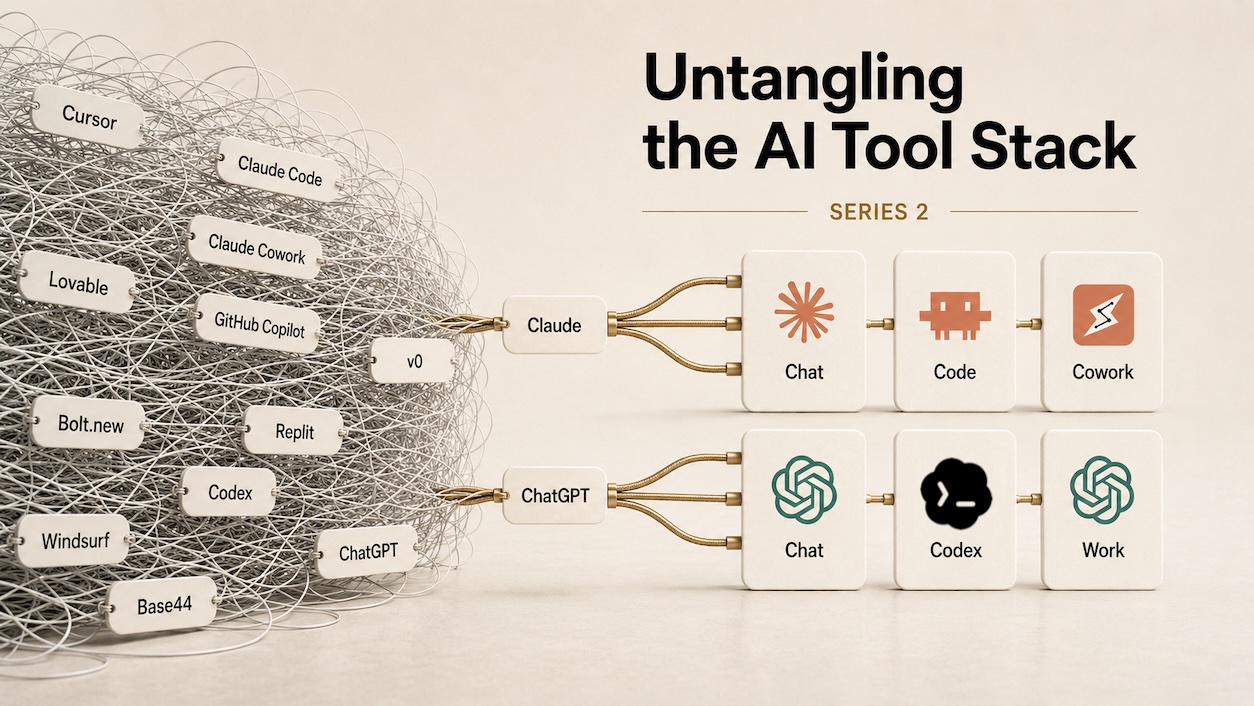
Someone on your team pastes a 400-line file into a chat window, gets back a clean rewrite, merges it by hand, and silently drops a change a colleague made that morning. The tool that would have edited that file in place, left the git history intact, and run the tests was already installed on the same laptop.
That is not a skill problem. Both vendors now ship roughly a dozen tools each, the names overlap, and nothing in either product tells you that you opened the wrong one.
Part one of this series covered confusion between vendors. This part covers the harder version, which is confusion inside a single vendor. Everything below is accurate as of August 2026, and this space changes monthly, so check the dates on anything you carry forward.
The naming problem, and only one vendor has it
OpenAI kept its names apart. ChatGPT is the app, GPT-5.6 is the model, Codex is the coding surface. You can say "open Codex" and be understood.
Anthropic reuses one word for the company, the product family, and the chat app. The models at least have their own names, Opus and Sonnet and Fable. But the app you type into is called Claude, the coding agent is Claude Code, and the desktop agent is Claude Cowork. So "I used Claude for that" is a complete-sounding sentence carrying no information about which tool was actually open.
For the rest of this post I write Claude Chat, Claude Code and Claude Cowork. Anthropic does not officially call the chat app "Claude Chat." I am adding the word because the sentence does not work without it, which is the whole problem in one line.
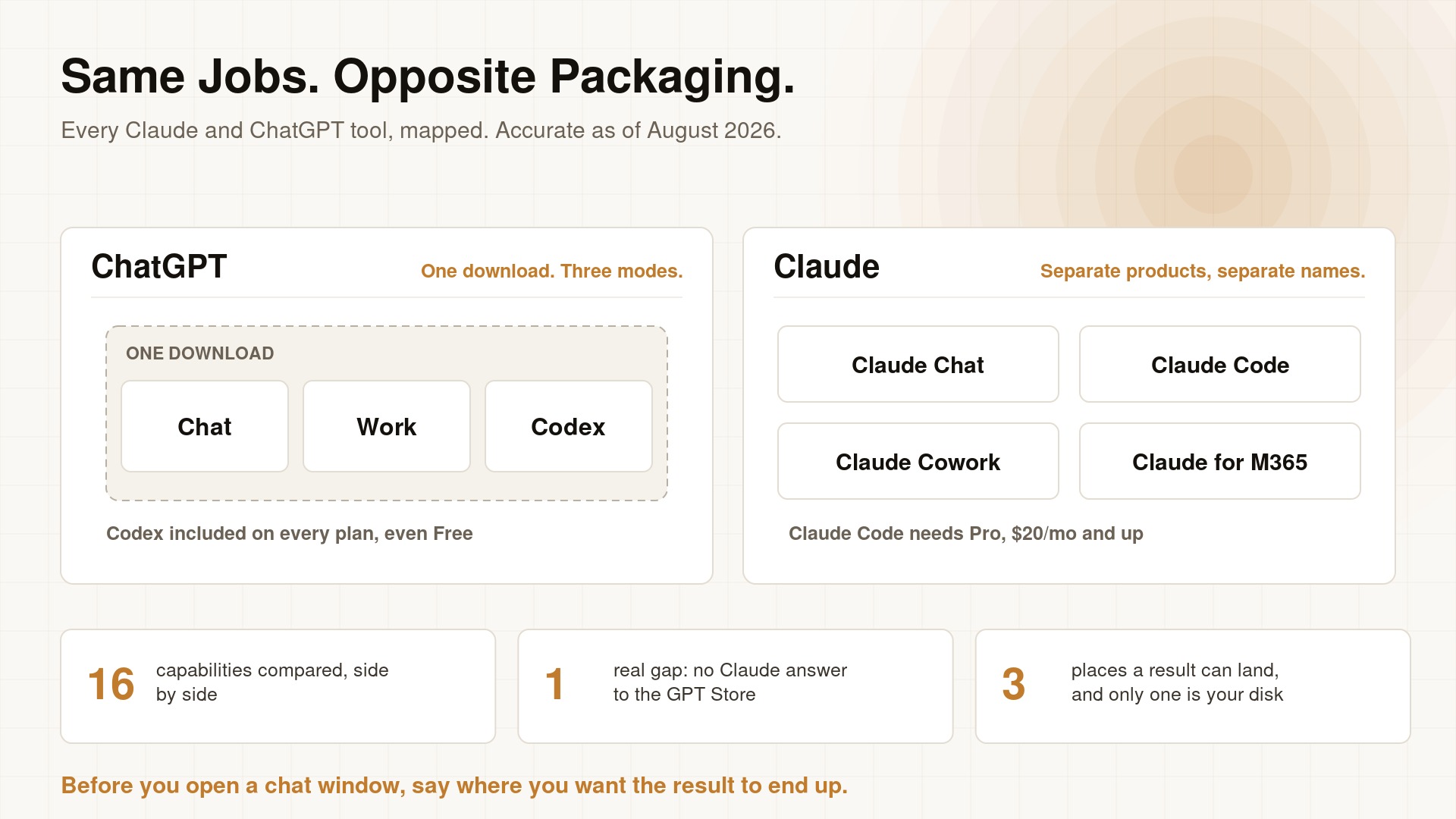
OpenAI's three modes ship in a single download that includes Codex on the free tier. Anthropic's equivalents are separate products, and the coding agent starts at Pro.
The question that sorts everything
Forget what each tool is called. Ask where the result lands.
- In the cloud, nothing changes on disk. You upload a file to a chat window, get an answer, and the original on your machine is exactly as it was. Good for understanding something. Useless for changing it.
- On your disk, in place. The tool edits the actual file, and it is still edited tomorrow. This is where most real work belongs and where least of it happens.
- On someone else's machine, returned as a branch. The job runs on the vendor's infrastructure while you do something else, then comes back as a pull request you review normally.
Product names change constantly. These three buckets do not, so learning them is worth more than memorising a lineup that will look different next quarter.
Every Claude tool
| Tool | What it is | What it can touch | Where the result lands |
|---|---|---|---|
| Claude Chat (web, desktop, mobile) | Chat | Only what you paste or upload | An answer in the thread. Disk untouched |
| Claude Code on desktop | The coding agent inside the Claude desktop app | Your repo on your machine | Files edited in place, git commits |
| Claude Code CLI | The same agent in your terminal | Your repo, your shell, your machine | Files edited in place, git commits |
| Claude Code in the IDE | The same agent in VS Code or JetBrains | Open buffers plus the repo | Files on disk |
| Claude Code on the web | Cloud sessions on Anthropic-managed VMs | A cloned repo in an isolated VM | A branch or PR. Keeps running after you close the tab |
| Claude Cowork | Desktop agent aimed at non-developers | A folder you grant, plus a sandboxed shell | Files in that folder, and they persist |
| Claude for Microsoft 365 | Add-ins for Excel, Word, PowerPoint, Outlook | Office docs, SharePoint, OneDrive | The documents themselves |
| Claude in Chrome | Browsing agent | Pages in your browser | Actions in the browser |
| Projects | A workspace with its own knowledge base and memory | Uploaded docs, project chats | Answers, scoped to that project |
| Research | Multi-step source gathering and synthesis. Toggle the Research button at the bottom left of the chat box, or ask Claude to use the Research tool | The web, plus connected context like Gmail and Calendar | A long cited report |
| Skills | Packaged instructions for a recurring task | Extends Claude Cowork and Claude Code | n/a |
| Plugins and marketplaces | Installable bundles of MCP servers, skills and tools | Extends Claude Cowork and Claude Code | n/a |
| Connectors | MCP integrations with outside services | Third-party tools and data | Data into the conversation |
| Scheduled tasks | Recurring unattended runs in Claude Cowork | Same reach as Claude Cowork | Files and reports, on a schedule |
| - | No equivalent to a public assistant store | - | - |
| Agent SDK and API | Build agents into your own product | Whatever you wire up | Your application |
The rule: if the file you care about lives on your machine, open Claude Code or Claude Cowork. Claude Chat is for questions about code, not changes to it.
Every ChatGPT tool
One structural note before you read. On July 9, 2026 OpenAI folded the standalone Codex desktop app into the ChatGPT desktop app, so Chat, Work and Codex are now three modes in one download rather than three separate products.
| Tool | What it is | What it can touch | Where the result lands |
|---|---|---|---|
| ChatGPT, Chat mode | Chat | Pasted text, uploads, connectors | An answer in the thread. Uploads stay cloud-side |
| Codex mode | The coding agent inside the ChatGPT desktop app | Your repos | Files, commits, PRs, in-app review |
| Codex CLI | Independent terminal agent, not deprecated by the merger | Working directory and subdirectories, any file type | Files edited in place |
| Codex IDE extension | The same agent in VS Code or JetBrains | Open buffers plus the repo | Files on disk |
| Codex cloud | Hosted containers on OpenAI infrastructure | A cloned repo | A branch or PR |
| Work mode | Multi-step agent across your apps and files | Connectors, workspace data | Sheets, slides, docs, web apps |
| ChatGPT for Excel | Spreadsheet-native sidebar | Excel and Google Sheets workbooks | The workbook |
| ChatGPT agent | A VM with a visual browser and a terminal | Websites, connected services | Web actions, downloaded files |
| Projects | Persistent workspace context | Files and chats in the project | Answers |
| Deep Research | Multi-step source gathering and synthesis | The public web | A citation-numbered report |
| Skills | Reusable workflows with instructions, examples and code | Extends ChatGPT and its agents | n/a |
| Apps and the Apps SDK | Integrations with a browsable directory | External services | Data and actions in chat |
| Connectors | Integrations with Drive, Gmail, SharePoint | External cloud services | Data into the conversation |
| Workspace agents | Reusable agents, scheduled or triggered by Slack or API | Connectors, files, MCP servers | Varies by agent |
| Custom GPTs | Configured assistants, publishable to the GPT Store | Uploaded knowledge | Answers |
| API and Platform | Build on the models directly | Whatever you send | Your application |
The rule: the mode switcher is not cosmetic. Chat, Work and Codex have different reach and different permissions, and staying in Chat because it opened first is the most common mistake on this side.
Side by side
| Capability | Claude | ChatGPT |
|---|---|---|
| Chat | Claude Chat | ChatGPT, Chat mode |
| Desktop coding app | Claude Code on desktop | Codex mode |
| Terminal coding agent | Claude Code CLI | Codex CLI |
| Editor integration | Claude Code in VS Code, JetBrains | Codex extension for VS Code, JetBrains |
| Cloud or async coding | Claude Code on the web | Codex cloud |
| Desktop file agent | Claude Cowork | Work mode |
| Office suite | Claude for Microsoft 365: Excel, Word, PowerPoint, Outlook. Microsoft only | ChatGPT for Excel and Google Sheets. Spreadsheets only |
| Browser agent | Claude in Chrome | ChatGPT agent, Atlas |
| Projects | Projects, with per-project memory and RAG | Projects |
| Deep research | Research | Deep Research |
| Skills | Skills | Skills |
| Marketplace | Plugins and marketplaces | Apps, Apps SDK, directory |
| External connections | Connectors, MCP | Connectors and Apps |
| Scheduled runs | Claude Cowork scheduled tasks | Workspace agents on a schedule |
| Shareable custom assistant | - | Custom GPTs, GPT Store |
| Agent framework | Claude Agent SDK | OpenAI Agents SDK, AgentKit |
One row is genuinely uneven. Anthropic has no equivalent to the GPT Store, so there is no way to publish a configured assistant for strangers to use. Everything else pairs.
Two differences that decide procurement
The free tier points in opposite directions. Codex ships inside the ChatGPT desktop app on every plan including Free. Claude Code requires Pro at twenty dollars a month or higher. Anthropic instead gives away the Office add-ins, free on every plan. Each company is subsidising the habit it wants you to form, and if you are choosing for a team of forty, that asymmetry matters more than any feature in the tables above.
Office coverage trades breadth against depth. Claude covers four Microsoft apps and nothing else. ChatGPT covers spreadsheets, and covers them in both Excel and Google Sheets. If your company runs on Google Workspace, that single row decides it.
Five ways people get this wrong
Ranked by how much they cost.
- Pasting a file into chat instead of opening it in an agent. You lose git history, you merge by hand, and you overwrite whatever changed since you copied.
- Pointing a coding agent at a folder of receipts and invoices. Codex CLI will do it, but Claude Cowork and Work mode were built for it and will not need coaxing.
- Asking chat to review a diff. It sees the diff. It cannot see the four callers the change breaks, because you did not paste those.
- Babysitting a forty-minute refactor in a local terminal. Claude Code on the web and Codex cloud exist so you can close the laptop.
- Turning up the reasoning effort and expecting deep research. Anthropic publishes an entire article separating these. Effort controls how long the model deliberates on one problem. Research controls how many sources it goes out and reads. A higher effort setting gives you a longer answer from the same three sources.
What to do with this
Print the third table and put it where your team can see it. Then adopt one rule: before opening a chat window, say out loud where you want the result to end up. If the answer is "in a file on my machine," the chat window is the wrong tool, whichever logo is on it.
Found this helpful? Share it with others!